The Tavultesoft Character Identifier breaks down a Unicode string to show you how it is constructed, and identifies the fonts on your system which will work best with the text you have entered.
Update 14 Jun 2013: The Character Identifier tool has been updated to exclude spacing characters from its analysis. This matches functionality in Keyman Desktop and returns more accurate statistics on relevant fonts. The download has been updated: Character Identifier.
One of my blog readers asked the following question recently:
Where can i find the nifty Tavultesoft Character Identifier tool you mentioned in the blog, I have Developer and Pro 7.1, and I'm wondering if or where that's available for use.
Yesterday the answer to this question would have been "well, it's not available". Today, well, I have just uploaded a Character Identifier tool to our website!
What does Character Identifier do? Very simply, it takes a line of text, displays the Unicode value of each character in the text, and then attempts to identify the fonts on your system that will support the characters shown.
The tool places an icon in your task tray for quick access. Minimize or close the window to return it to the tray.

Clicking on the icon opens the tool, right-clicking brings up a simple menu (this is also how you exit the tool):

Once the tool is open, you can just type or paste some text into the top pane. You can manually select a font (or font style and size) using the Font button or, you can quickly change fonts by clicking on a font name in the grid of identified fonts in the bottom pane.
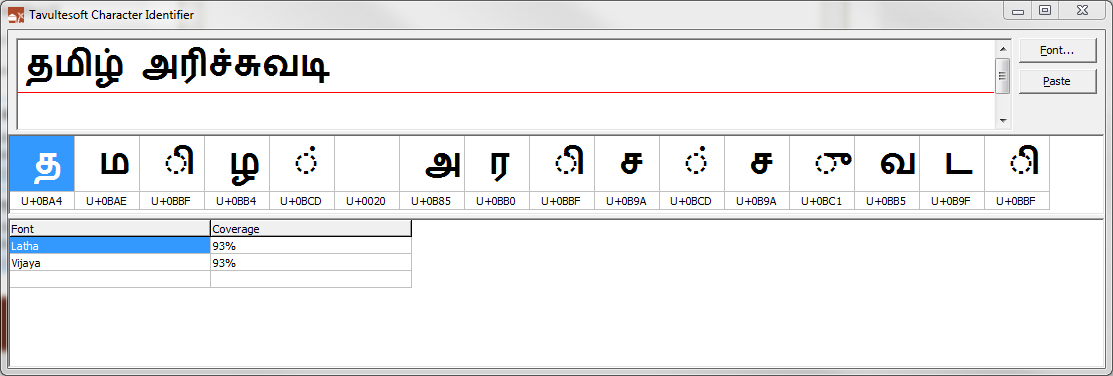
As shown in the image below, clicking on the second font, Vijaya, in the list of fonts, changes the font in the text window and in the character grid. You'll note that both of the fonts list the coverage as 93%. This is due to the space character in the text — I have not currently optimised the text processing to exclude the space character. The font identifier does not currently check the rendering to ensure that it is correct; it works only on the basis of character support.

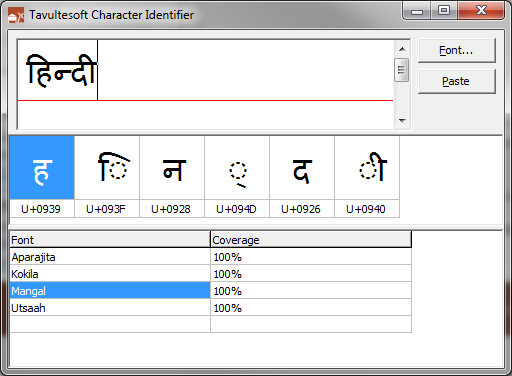
An example of Devanagari text, showing the behind-the-scenes reordering and dynamic shaping that is part and parcel of Unicode Indic text rendering:
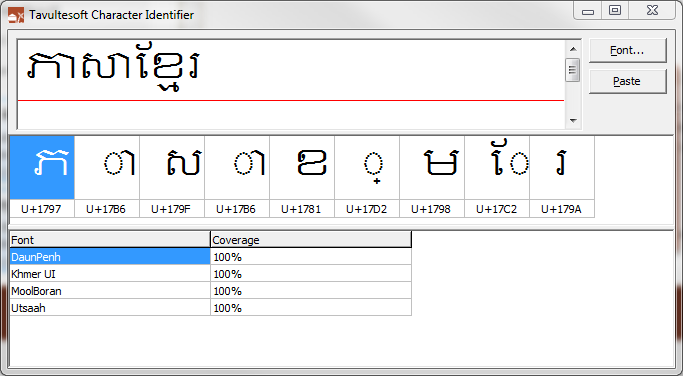
Khmer text:
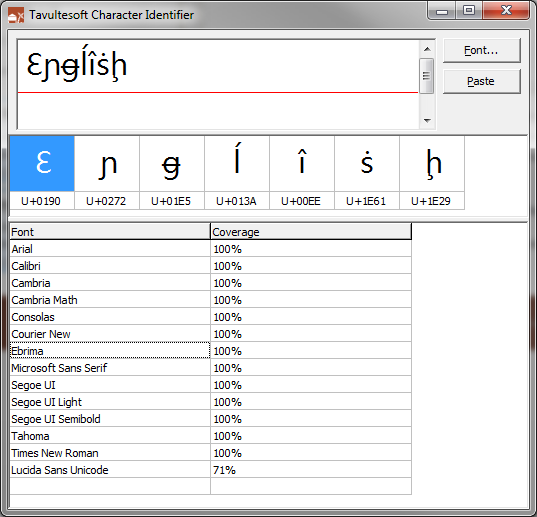
A silly English example:
Note: I typed the phrases shown in the Character Identifier images above using our KeymanWeb live site — no need to install keyboard layouts to quickly type random phrases in hundreds of languages!
4 thoughts on “Character Identifier tool”
Fletch · February 14, 2019 at 3:59 am
Thanks so much for the tool! I pasted some Russian text characters into InDesign today and got the dreaded square “tofu” characters. I thought, oh, no, how am I going to find which of my installed fonts has a Russian character set, when your program came to the rescue. Not sure how much time I would have wasted going through my fonts.. 🙂
Marc Durdin · February 14, 2019 at 4:22 am
Glad this was helpful for you! 🙂
Thanakorn Leesatruphan · May 22, 2019 at 1:03 pm
OMG this surprise me. such as genius software
renato · July 27, 2019 at 8:39 pm
It helped me to find the fonts I have that support Esperanto..For those who work with minority languages, it really helps
Comments are closed.