When you design and distribute a keyboard using Keyman Developer, it is important to spend a bit of time describing the keyboard for your users. The description will appear in the keyboard search results on keyman.com, and good use of keywords in your keyboard description will allow your keyboard to be found by the users who need it.
A description for your keyboard can be added in the Details tab of KPS file in Keyman Developer (see more):

- Markdown accepted, no embedded HTML.
Writing in the right syntax will ensure your keyboard displays correctly in keyman.com. Here are some Markdown examples:
Heading
# Heading level 1###### Heading level 6Heading level 1
Heading level 6
Paragraph
First Paragraph.

Second Paragraph.
First Paragraph.
Second Paragraph.
List
1. First item
2. Second item
3. Third item
4. Fourth item- First item
- Second item
- Third item
- Fourth item
Link
This keyboard is for the [Hupa language](https://en.wikipedia.org/wiki/Hup_language).This keyboard is for the Hupa language.
Adding images
To add images to the description, use the GitHub ‘master’ URL, and as long as you know where the images will be, you could specify the path before merging the PR.
The URL starts https://raw.githubusercontent.com/keymanapp/keyboards/master/ + the path to the image within the repository.
Example: https://raw.githubusercontent.com/keymanapp/keyboards/master/release/gff/gff_mesobe_fidelat/source/help/images/gff_mesobe_fidelat-default-1.jpeg
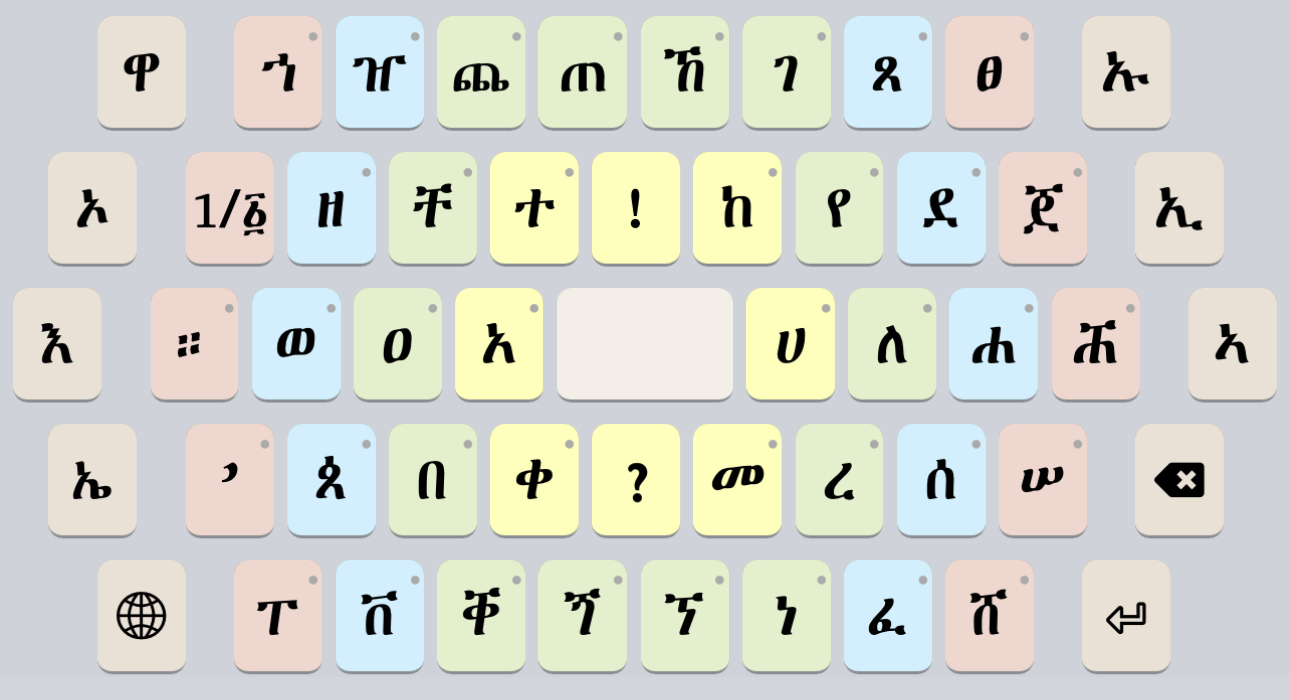
Images should not be included in the first paragraph.
Description location
The first paragraph of the description appears in keyman.com keyboard search result. The full description will be shown in the keyboard page.
The Keyboard Search page

The GFF Mesobe Fidelat keyboard page

Four places for descriptive metadata
Descriptive information for your keyboard can be included in four different places:
- The Description field in your package, as described above. This appears in the keyboard search and the keyboard details on keyman.com
- A readme.htm file, referenced in your package. This appears when a user first starts to install the keyboard, and should contain a short summary of the keyboard so users can be confident they are installing the right keyboard. Don’t include usage instructions in this file. You may wish to use the same content as the Description field.
- A welcome.htm file, referenced in your package. This appears after a user installs the keyboard, and should include full instructions on how to use the keyboard. This file is also available to end users via the Help menu in the Keyman apps at any time for any installed keyboard.
- A README.md file, in the same folder as your project .kpj file. This file should contain information for keyboard authors and maintainers; it may have some of the same content as readme.htm but may also contain helpful technical details which would be unnecessary for end users.
- For release keyboards, the content in welcome.htm should also be copied into the PHP help file. See Creating a PHP help file from welcome.htm for more details.
While each of these documentation sources have slightly different purposes, we recognize that there is some duplication here. We are working to reduce the duplication — in particular, we hope to merge the Description field with readme.htm, and to merge welcome.htm and the PHP help file in coming versions.