Recently I was asked a question about Keyman involving a display issue with the Hebrew holam vowel point (U+05B9). The problem was that the holem vowel was causing too much space to appear between letters. To reproduce the scenario, I used Keyman Desktop’s Font Helper and the “Getting Started” text editor on Windows XP.
Keyman Desktop’s font helper identifies the fonts on your system which are compatible with the selected Keyman Desktop keyboard. It also identifies how compatible the fonts are with a percentage score.
The font helper is available within both the Getting Started editor and the On Screen Keyboard (click the  button). In this situation, it was easier to use the font helper embedded within the Getting Started editor. (To access “Getting Started”, select Help from the Keyman menu.)
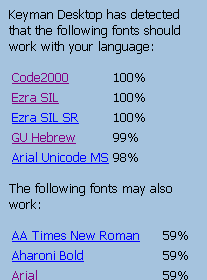
Back to the story then. First I identified a Hebrew word which used the holam vowel point. The phrase I decided to use was “he will write” ( ). I entered that into the Getting Started editor using the Galaxie Hebrew keyboard. The Getting Started editor identified a number of fonts that appeared to be compatible (trimmed image):
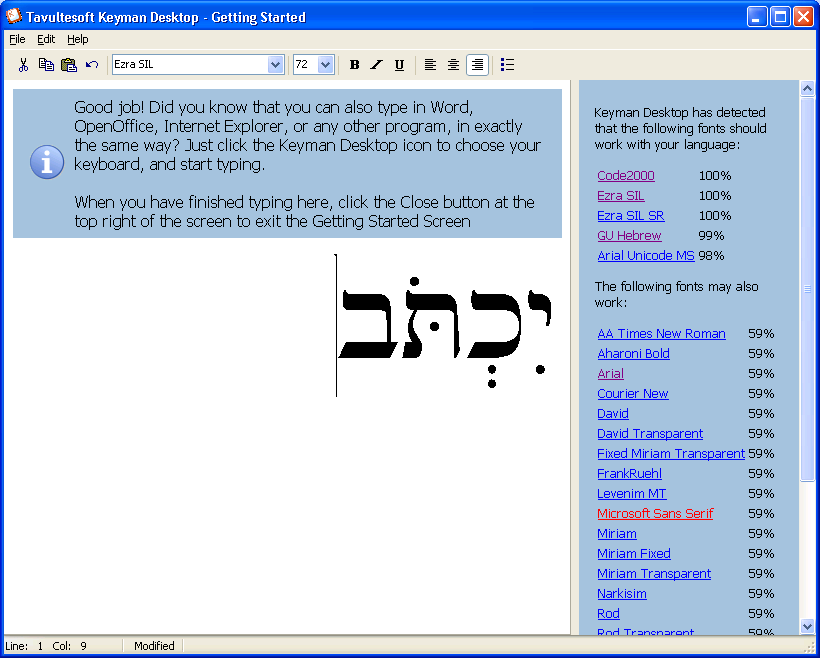
I initially selected the Ezra SIL font (by clicking on the font name in the font helper) and confirmed that the holem displayed correctly:
I then selected the Times New Roman font and immediately saw the behaviour that was described:
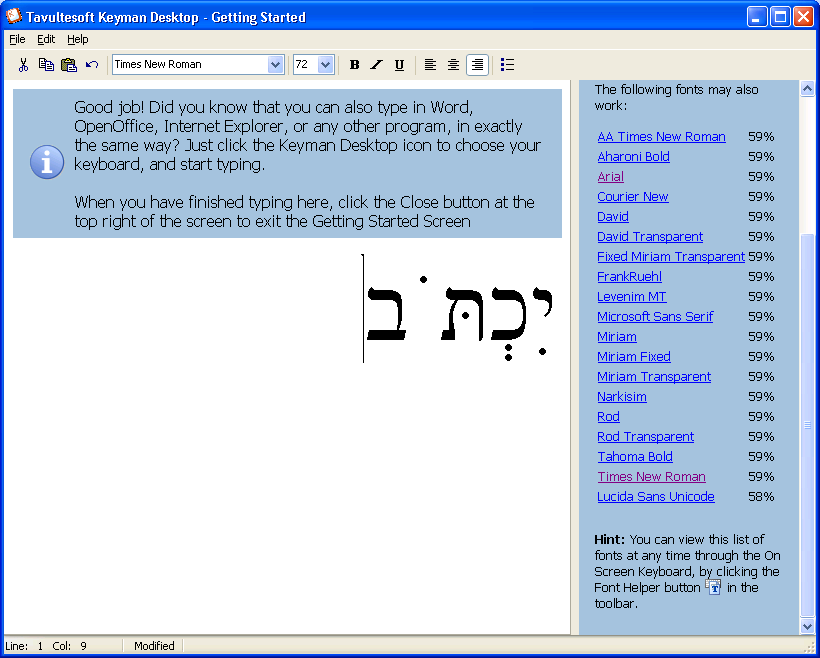
The low score of 59% in the Font Helper for Times New Roman tells us that the font only includes just slightly more than half of the Hebrew characters accessible via the Galaxie Hebrew keyboard, whereas the Ezra SIL font (100%) includes all of them.
I was able to advise the original user that Galaxie Hebrew Unicode and Ezra SIL were good, compatible fonts for Biblical Hebrew, while (on Windows XP at least), most of the system fonts did not fully support it.
Now we have to wait and see if that resolves the problem for him!